
Premium Report - Sales by Product Category
Sales by Product Category
Sales by Product Cateogry is used to see a breakdown of your sales according to the Category from Shopify's standard product taxonomy (see here)
From this report, you can see the total key sales figures (Orders, Gross/Net/Total Sales, etc) for the Last 30 days alongside a breakdown by the product's assigned Category.
As a Premium Report, this is available on all Paid Plans of Report Toaster. If you aren't signed up, follow these steps here to upgrade your account.
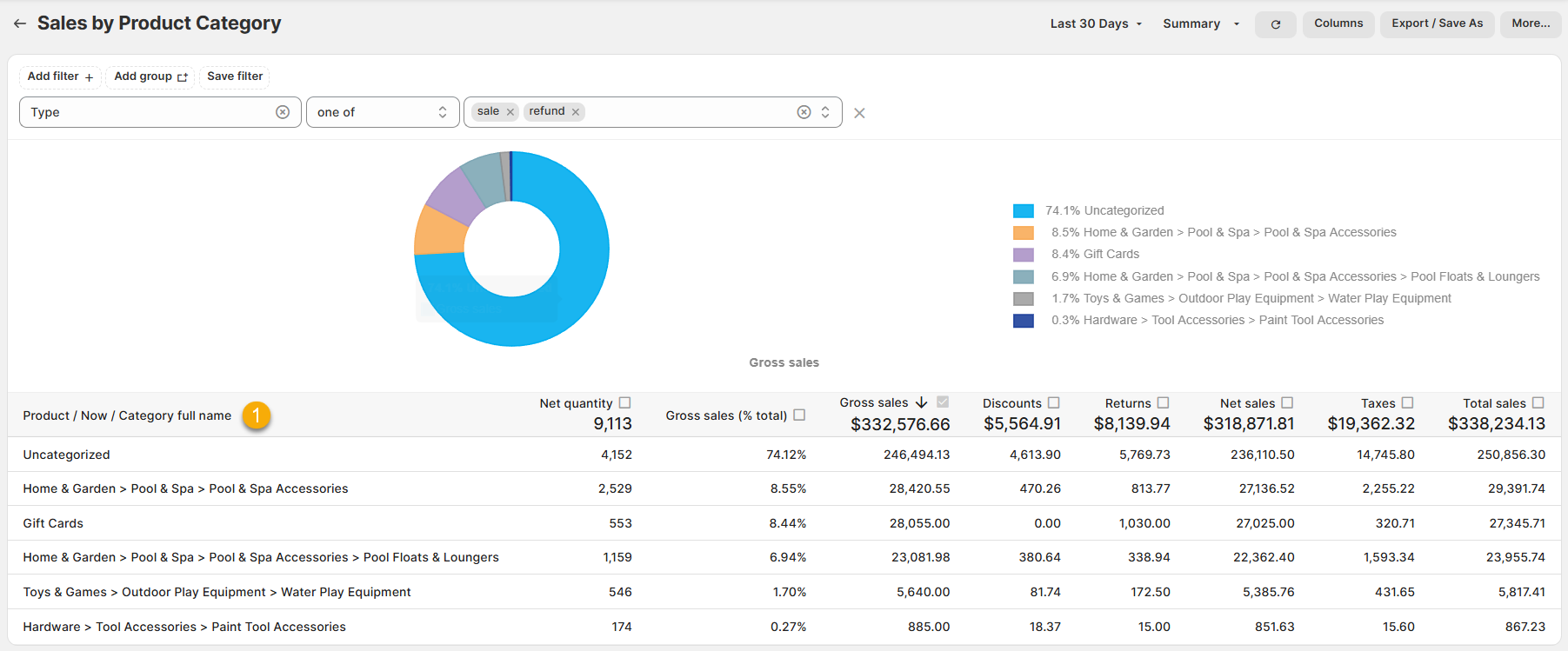
(click image to enlarge)
Here is what you need to be familiar with to understand Sales by Product Category:
1.) Product / Now / Category full name: The full name of the Category those products are assigned to now (i.e. not time of sale - see our guide on Now Fields here).
Categories in Shopify have multiple levels, ranging from the broadest (Level 1) to the most narrow (Level 5).
Many merchants may not utilize all 5 levels, but the full name includes any/all levels so you can see the complete path.
For example, we can see in the last 30 days, 1,159 items that were sold in the Pool Floats and Loungers (level 4 category).
The full name breakdown for this category is Home & Garden (Level 1), Pool and Spa (2), Pool & Spa Accessories (3), Pool Floats & Loungers (4).
Note that you can also change the sales breakdown by just level 1, level 2, etc, by amending the columns on this report.
For example, if I only really cared about the level 1 category for this report, then I could swap Category full name for Product / Now / Category level 1
This will include only the first level category, ensuring I get a suitable breakdown:
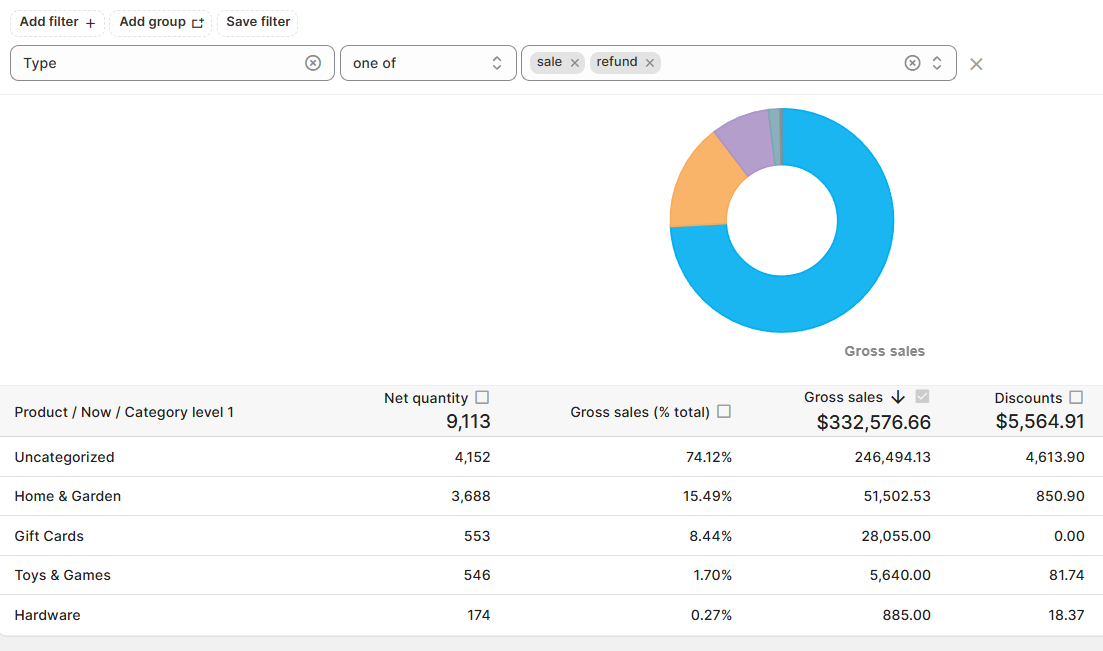
(click image to enlarge)
Like all Report Toaster reports, these reports are fully customizable - so you can adjust the date range, add/remove columns, introduce a filter or change the sort to suit your individual needs. See our basic guides here for more info.
For other premium reports you can add to your account, check out our other article guides here.